|
This
tutorial will help you download and
install SolSuite Graphics Pack on
your P.C. with confidence.
Downloading
and installing SolSuite Graphics Pack is a simple
process!
1
Download
SolSuite Graphics Pack.
There are 3 ways to
download SolSuite Graphics Pack:
-
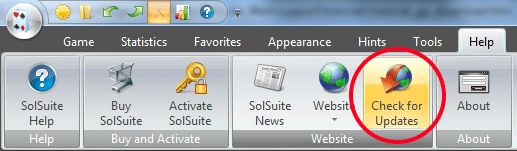
To download Free
SolSuite Graphics Pack, use the "Check for
Updates" option.
"Check for Updates" option is on the "Help"
tab of SolSuite Solitaire.
OR:
-
If option 1) doesn't
work for you, please click the following
link:
https://www.solsuite.com/gp/ and fill out
the online form.
OR:
-
If options 1) and 2)
don't work for you, please click the following
link:
https://www.solsuite.com/support/help_form.htm
2
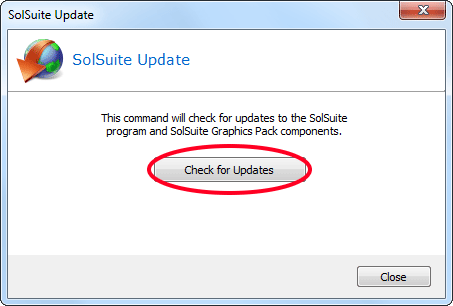
The "SolSuite -
Check for Updates" dialog box will be
displayed. Click on the
"Check for Updates" button.
3
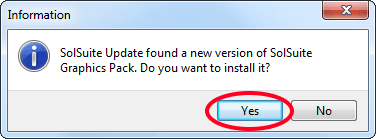
The dialog box shown
below will be
displayed. Click on the
"Yes" button.
4
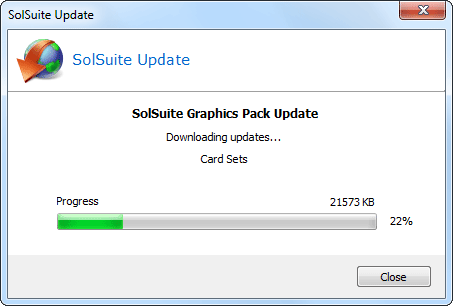
The "SolSuite Graphics Pack
Update" dialog box will be
displayed.
SolSuite Update will install SolSuite Graphics Pack on
its
corresponding folder.
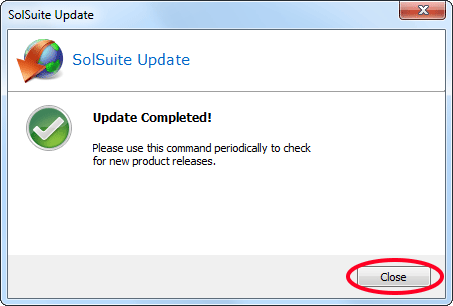
5
The SolSuite Graphics
Pack Download and Installation process
has been completed.
|