SolSuite 2010's web site

SolSuite 2010's web site

SolSuite: A Great Way to Relax At Any Age


SolSuite 2010's NEW v10.1 has arrived!  (January 10, 2010)

SolSuite News:

Subscribe to SolSuite RSS feed

Discover the new SolSuite 2010 Card Size.


Numbers and suits are easier to see, and images display richer, more enhanced details

The new auto-sizing feature will adapt the cards to any screen resolution, from 640x480 to 1600x1200 pixels and higher!

Playing SolSuite is now even more fun!


Try it and you won't go back...

Try it and you won't go back...
 

 New Features in SolSuite 2010 - v10.1 (January 10, 2010)


SolSuite 2010's NEW v10.1 includes the following New Features:
 

New Features
  • Search Solitaires
    SolSuite 2010's NEW v10.1 includes a powerful, new feature that allows you to instantly search and select a solitaire in the Select a Solitaire dialog box. You need only type a few letters before you start seeing the solitaire you're looking for. As you type, SolSuite searches and displays the solitaires in the solitaires list. The typed letters can be either the starting letters or letters contained in the solitaire name.
     

  • Cards Overlapping
    SolSuite 2010's NEW v10.1 allows you to change the size of the card overlapping.
    The selected size is applied to all the solitaires, either having a horizontal or a vertical overlapping. The sizes available are:

- Default (the current size)
- Medium (about Default size and a half)
- Large (about double the Default size)

Increased overlapping can be useful to see the suits, in addition to the numerals, in solitaires having a vertical overlapping (like Klondike, FreeCell, etc.).

The Large overlapping can be useful in moving cards on systems using a touchscreen display.

SolSuite 2010's NEW v10.1 includes the following Backgrounds and Card Backs:
 

New Backgrounds
SolSuite 2010's NEW v10.1 includes the following new Backgrounds (*):
 
Fairy Castle - background
Fairy Castle
Green Waves - background
Green Waves
Over the Rainbow - background
Over the Rainbow
Tulips on Old Wood - background
Tulips on Old Wood
Violet Bubbles - background
Violet Bubbles
 
New Card Backs
SolSuite 2010's NEW v10.1 includes the following new Card Backs (*):
 
  • A New Day
  • Curious Kitten
  • Egyptian Papyrus
  • House on the Hill
  • Sphinx and Great Pyramid of Giza


SolSuite 2010 v10.1 - new card backs


(*) New graphics are available in the latest SolSuite Graphics Pack Volume 1 v2.18 (free add-on for SolSuite).


 Version History


Click here to see the Version History Details

 New Ribbon Interface (SolSuite 2010)


SolSuite 2010 includes the Ribbon, a graphical user interface composed of a strip across the top of the main playing area. Ribbon interface is a part of the new Microsoft Fluent User Interface that replaces the menus and toolbars used since the version 2008 of SolSuite.

The Ribbon is a way to enhance usability by consolidating related commands so that they are easier to find. Commands are organized into groups and related groups are organized on tabs. One need not look through multiple levels of hierarchical menus.

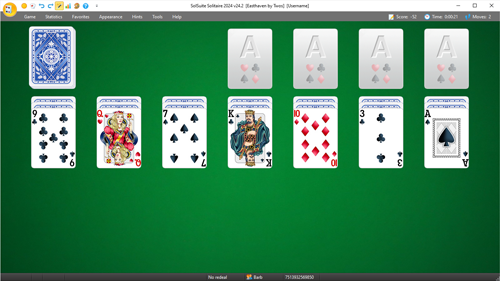
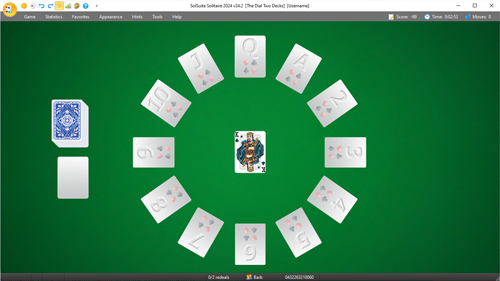
SolSuite's The Dial II screenshot with the NEW Ribbon Interface SolSuite's Pairs screenshot with the NEW Ribbon Interface SolSuite's Fly screenshot with the NEW Ribbon Interface
 

Screenshot examples

Screenshot examples with actual card sets at different screen resolutions:

FreeCell at 1600x1200

FreeCell at 1280x1024

FreeCell at 1024x768

FreeCell at 800x600

FreeCell at 640x480


Download the NEW v10.1 (January 10, 2010) with the NEW Ribbon Interface!:

To download the NEW v10.1, click the image below:

SolSuite 2010's latest v10.1
January 10, 2010


Buy Now  -   Download Now  -  Features  -  Screenshots  -  Awards  -  Support/FAQs  -  Newsletter
SolSuite Champions  -  Manual  -  Contact Us  -  Spider Solitaire  -  Solitaires List  -  What's New

Copyright © 1998 - 2010 TreeCardGames.com and its licensors. - www.solsuite.com - All rights reserved.